 Elms
For families and caregivers
The day, planned once. Shared with everyone who cares.
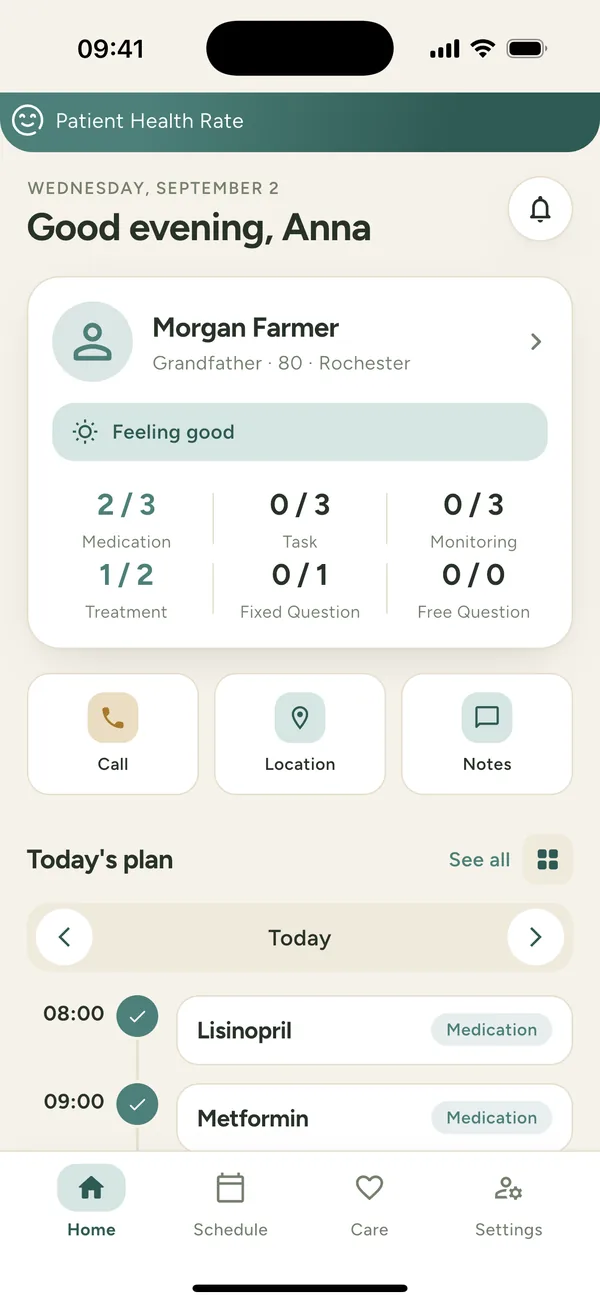
Elms Care keeps the day-to-day of looking after someone you love in one place — the medication times, the small tasks, the reminders, and the check-ins that tell you how they are really doing.
Free to download · English, Español, Русский, Қазақша
- No ads, ever
- Your data is never sold
- Four languages
- Delete your account any time
How it works
Set it up once. Then it is simply there.
Most days of care are the same shape. Elms Care asks you to describe that shape once, and takes the remembering from there.
Describe the routine
Choose the days of the week and the time: the 8:00 tablet, exercises at eleven, a walk after lunch, a phone call in the evening.
The plan repeats itself
Every morning it is already there. Whoever is with them ticks items off as the day goes, and reminders arrive on the phone.
Everyone can see it happen
Relatives and caregivers work from the same profile, so nobody has to ask whether the pill was taken.
Eight kinds of reminder, one timeline
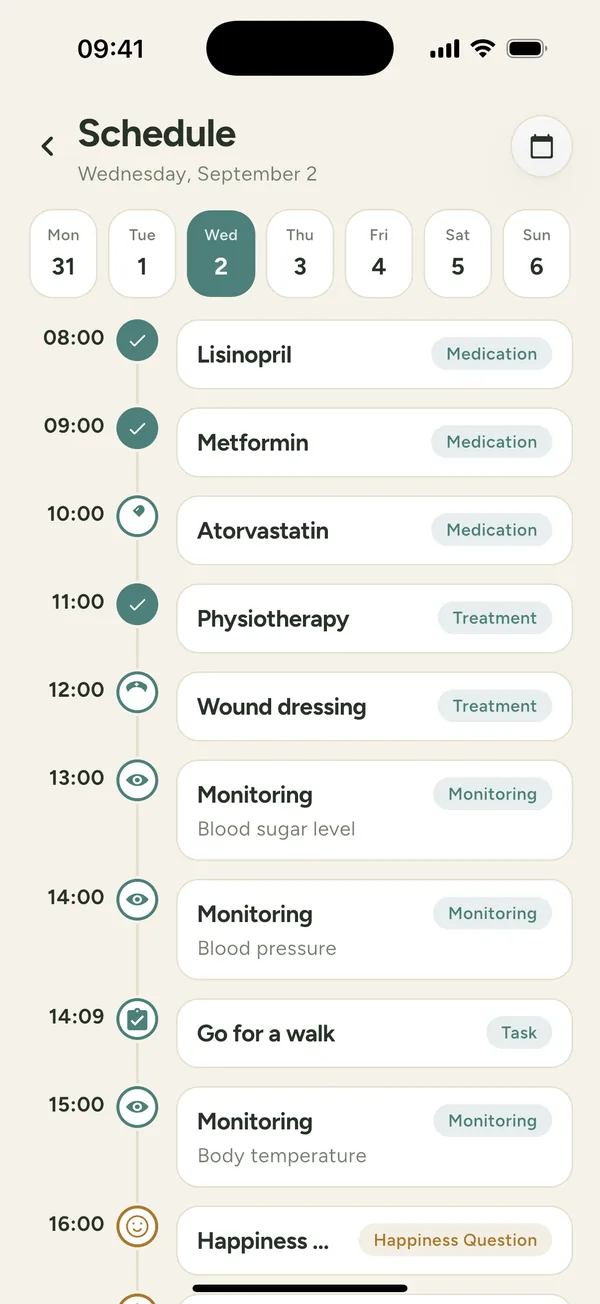
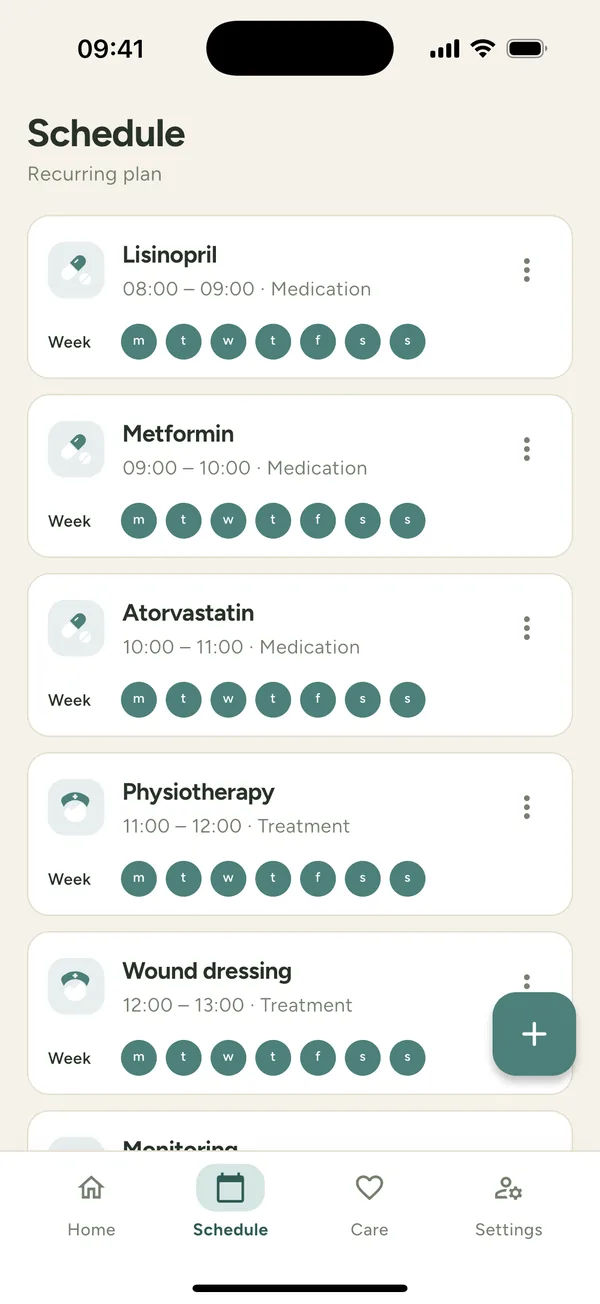
Tasks, reminders, alarms, medication times, home readings and check-in questions sit on the same clock, in the order the day happens.
- Mark things done, or see plainly what was missed
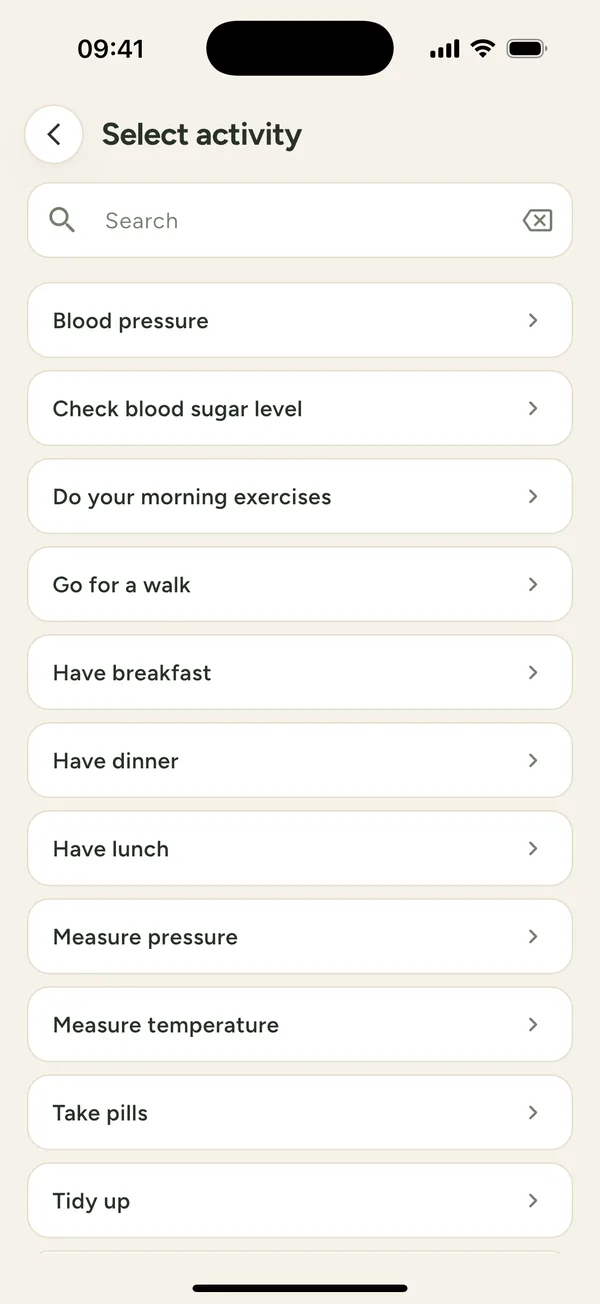
- Start from a library of ready-made everyday activities, or write your own
- Mark an item “for caregiver only” when it is not meant for your loved one to see
Set the routine once. It repeats.
Every item carries its own days of the week and time range. Change the routine and every future day changes with it.
- Pick any combination of weekdays
- Give each item the window it belongs in, not just a moment
- Edit or stop an item without touching the rest of the plan
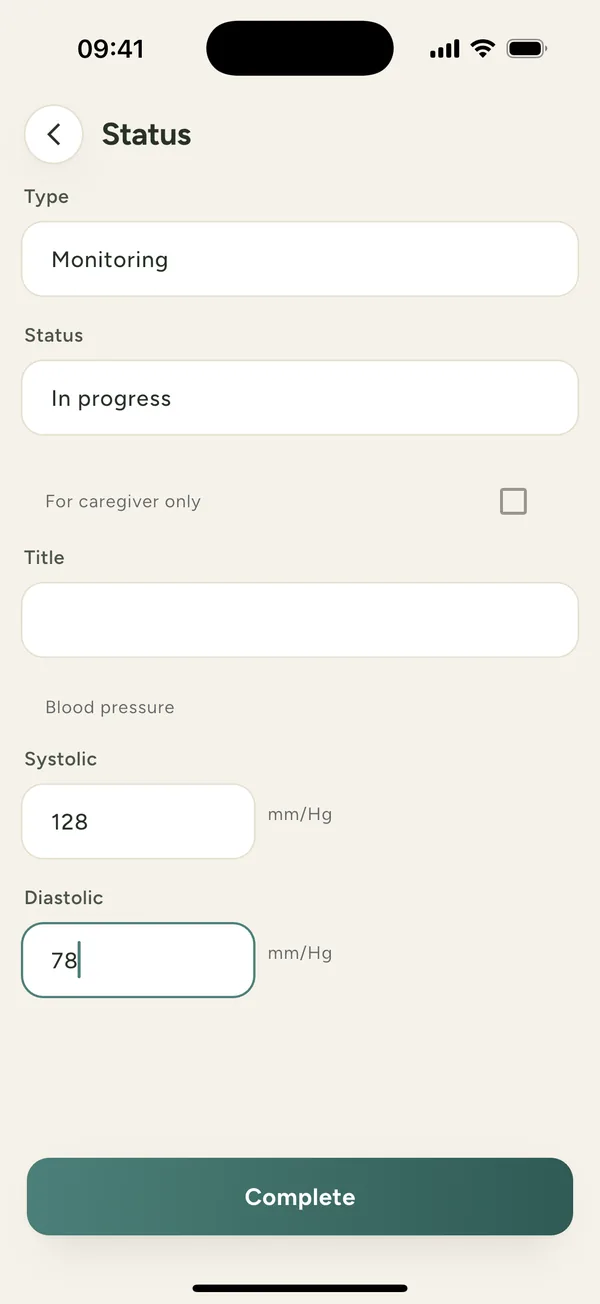
Note readings as they are taken
Readings taken at home, such as blood pressure or temperature, go in when they are taken, and build up into a picture over weeks.
- Progress charts over a week, a month, three months, six months or a year
- A daily “how are you feeling?” question, answered in one tap
- One point per day, so a batch entered in one sitting reads honestly
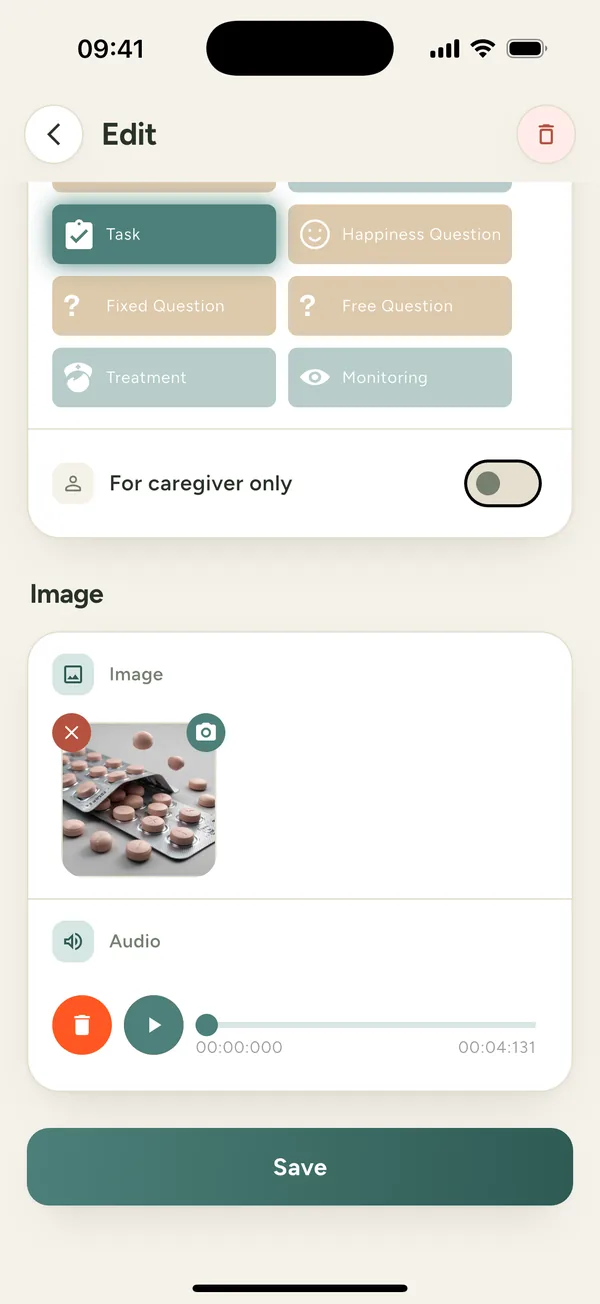
A photo of the pill. A message in your own voice.
Attach a picture and a voice note to any item. A reminder that shows the right blister pack and sounds like you is a reminder that gets followed.
- Photos from the camera or the library
- Voice messages recorded in the app
- Notes with documents too — a passport, an insurance policy, anything on paper
Everything else
The rest of what caring for someone involves
Not just the plan — the people, the paperwork and the peace of mind.
The care circle
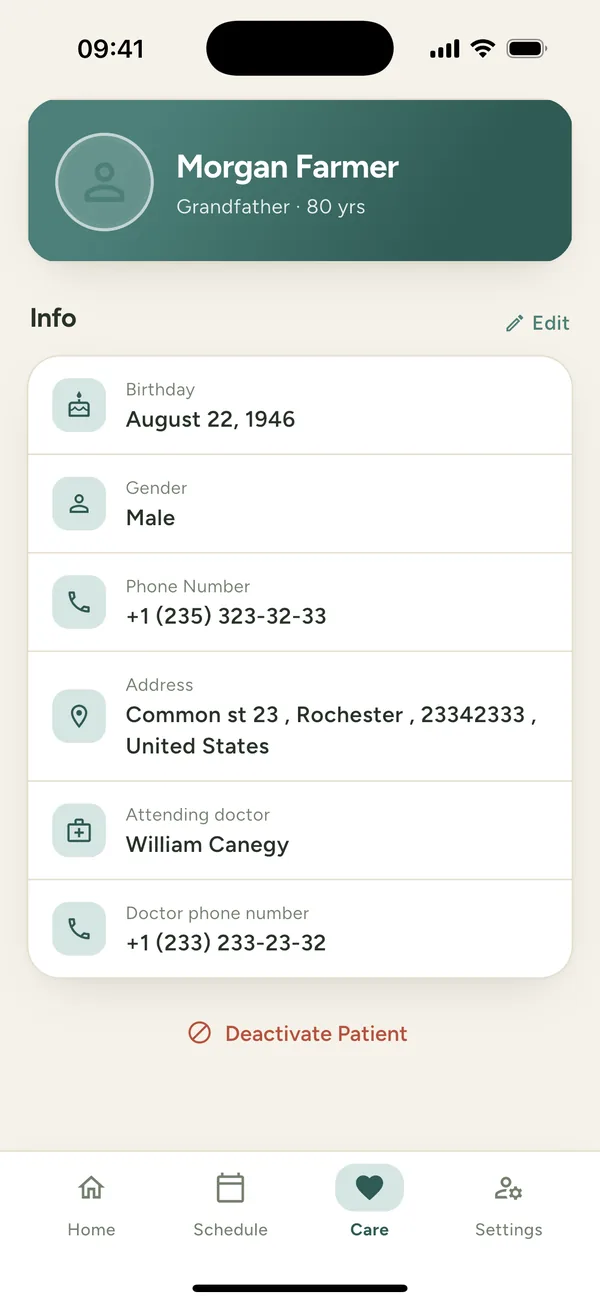
Relatives and caregivers share one profile. Invite a caregiver, accept or decline requests, and see who is managing what.
Notes and documents
The papers you need at hand — a passport, an insurance policy, a power of attorney — kept with photos and audio beside the plan they belong to.
Check-in questions
Ask how they are feeling every day, in their own words or as a simple scale, and watch the answers over weeks.
Emergency contacts
The numbers that matter, on your loved one's profile, and calling one of them takes a single tap.
Where they are
An optional map with a home address and an allowed distance, plus location history for as many days back as you choose. Off until you turn it on for that person.
Reminders that arrive
Push notifications on the caregiver's phone and on your loved one's, timed to the plan rather than to a generic alarm.
For professional caregivers
Everyone you look after, on one dashboard
The same plan the family keeps is the record you work from. No phone calls to reconstruct the week, no paper to chase.
- Today's tasks across everyone you look after
- The full record of what was actually done, and when
- Readings and check-in answers charted over time
- Access granted per person, by the family, in the app
AI, if you want it
Ask an assistant instead of hunting through the app
Elms Care connects to Claude and other assistants that speak the Model Context Protocol. They read the same plan you do, with your account and your permissions — so you can simply ask. Reference data comes back in whichever of the four languages you asked in.
Ask about the day in plain words
“Did mum take everything yesterday? What is still open today?” The assistant reads the plan, the results and the notes, and answers in a sentence.
Weeks of readings, summarised
Readings and the daily check-in answers over any date range — described in words, rather than left on a chart for you to read off.
Change the routine by asking
“Move the evening tablet to 21:00 on weekdays.” It edits the recurring item, and the phones pick up the new plan straight away.
It signs in as you — and can do no more than you
Connecting an assistant does not hand it a copy of anything. It signs in with the same account you use in the app, and calls the same API, live, every time you ask.
- It sees exactly the people you can see, and no others
- It can add a medication or an activity, change the recurring plan, and record what was done. That is the whole list
- It cannot invite or remove anyone from the care circle, or change your account settings
- It does not upload photos or voice messages
- Remove the connector in your assistant and the access ends there
Two apps
One for the person caring. One for the person cared for.
Most families only need the first. If the person you look after has a phone of their own and wants to take part, the companion app shows them the same plan, one item at a time.
Elms Care for your loved one
The other side of the same plan. Reminders arrive on their phone, they answer how they are feeling, and what they mark done shows up in the family's app straight away.
Your family's information deserves a plain answer
Everything in Elms Care is entered by a person, about someone they are responsible for. We treat it that way.
- We do not sell your data, and never share it with data brokers
- No advertising in the app, and no advertising or tracking SDKs
- What you enter is not used to train models
- Only your loved one's care circle can see their information
- Location sharing is off until you turn it on for a specific person
- You can delete your account and its data from Settings
Start with tomorrow morning
Add the person you look after, set up one day, and see what it is like when everyone is working from the same plan.
Elms Care
The full app: build the plan, note readings, keep notes, invite the care circle, see the charts. For relatives and caregivers.
Elms Care for your loved one
The other side of the same plan. Reminders arrive on their phone, they answer how they are feeling, and what they mark done shows up in the family's app straight away.